
Top 10 Free Online Tools Every Small Business Should Be Using in 2026
- 4 days ago
- 4 min read
Updated: 3 days ago
Running a small business is expensive enough already.
Between marketing, admin, social media, invoices, emails, customer service, and trying to actually grow the business, it’s easy to feel like every useful tool comes with another monthly subscription attached.
But some of the best tools out there are completely free, or at least have free plans that are more than enough for most small businesses and charities getting started.
These are the tools that genuinely save time, reduce stress, and help you look more professional without draining your budget.
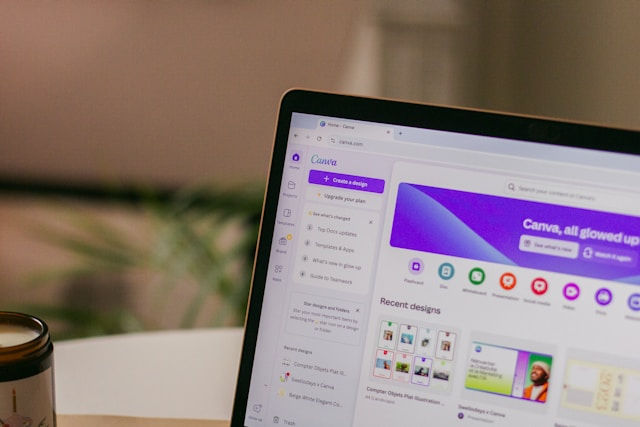
1. Canva — The Best Free Design Tool for Non-Designers
If you only use one free business tool, make it Canva.
Canva lets you create:
social media graphics
flyers
presentations
posters
logos
business cards
videos
fundraising graphics
and so much more, without needing any design experience whatsoever.
The drag-and-drop editor is really easy to use, and the free templates make everything look polished and professional in minutes. Canva’s free plan includes thousands of templates and design assets.
For charities and small businesses with tiny marketing budgets, it’s an absolute lifesaver.
2. Trello — Simple Project Management That Actually Makes Sense
If your brain currently feels like 47 browser tabs open at once, Trello helps massively.
It’s basically a visual to-do list where you can organise:
client work
content calendars
fundraising campaigns
volunteer tasks
business admin
social media planning
The reason people love Trello is because it’s simple. No complicated setup, you can literally start using it within 10 minutes.
3. Mailchimp — Free Email Marketing for Beginners
Social media is great, until the algorithm suddenly decides nobody sees your posts anymore. Email marketing gives you direct access to your audience, customers, donors, or supporters.
Mailchimp helps you:
send newsletters
automate welcome emails
promote offers
share updates
grow mailing lists
The free plan works well for businesses just starting out with email marketing. And honestly, email marketing still delivers some of the best ROI in digital marketing.
4. Google Workspace Tools — Your Free Business Office
A lot of small businesses underestimate how powerful Google’s free tools are.
You get access to:
Google Docs
Google Sheets
Google Drive
Google Forms
Gmail
Google Meet
These tools can run huge parts of your business completely free. Need customer forms? Use Google Forms. Need invoices or spreadsheets? Google Sheets. Need cloud storage? Google Drive.
It’s simple, reliable, and easy for teams to work on and share files remotely.
5. Grammarly — The Easiest Way to Sound More Professional
Have you ever hit send just as you’ve spotted an embarrassing typo? Me too!
Grammarly checks your writing for:
spelling mistakes
grammar errors
awkward wording
unclear sentences
It works for emails, social media, documents, and web browsers. For small businesses trying to look professional online, this tool is incredibly useful, especially if writing doesn’t come naturally to you.
6. Buffer — Stress-Free Social Media Scheduling
One of the hardest parts of marketing is consistency. Buffer lets you schedule social media posts in advance so you’re not scrambling every day wondering what to post.
You can sit down for an hour, plan your week’s content, and let Buffer publish it automatically which saves loads of time.
7. Notion — The Ultimate Organising Tool
Some people use Notion for notes. Others use it to run their entire business.
You can create:
content calendars
CRM systems
client dashboards
team notes
SOPs
project trackers
The free version is really generous for smaller businesses. If you love staying organised, you’ll probably become mildly obsessed with it.
8. Zoom — Still One of the Best Free Meeting Tools
Whether you’re meeting clients, volunteers, supporters, or remote staff, Zoom is still one of the easiest video meeting platforms available.
It’s reliable, simple, and most people already know how to use it.
Perfect for:
online consultations
remote team meetings
virtual fundraising events
training sessions
Sometimes the best tools are simply the ones that make life easier.
9. Unsplash — Free Professional Photos for Marketing
Good visuals matter. But hiring photographers or buying stock image subscriptions isn’t realistic for many small businesses.
Unsplash gives you access to thousands of free high-quality images you can use for:
websites
blogs
social media
presentations
marketing materials
It’s one of the easiest ways to make your brand instantly look more professional. Just make sure you pick images that suit the feel you’re going for and don’t look too ‘stocky’.
10. ChatGPT — Your Free Business Assistant
Small business owners are wearing too many hats already.
ChatGPT can help with:
market research
blog ideas
social media captions
email writing
brainstorming
marketing plans
customer FAQs
simplifying complicated topics
Used properly, it can save hours every single week. Many small businesses now use AI tools daily for writing, research, and planning tasks.
The key is not replacing your voice with directly copied content, it’s about using it wisely with detailed prompts to speed up the boring parts of work.
Final Thoughts
You don’t need expensive software to run a successful business anymore. In fact, most small businesses probably only use a fraction of the features they pay for.
Starting with free tools is often better because it:
keeps costs low
reduces overwhelm
helps you learn what you actually need
gives you room to grow gradually
The biggest mistake small business owners make is thinking they need a massive budget before they can look professional. You really don’t.
Sometimes the right free tool at the right time can completely change how smoothly your business runs.
And that matters far more than having the fanciest, most expensive setup.


